
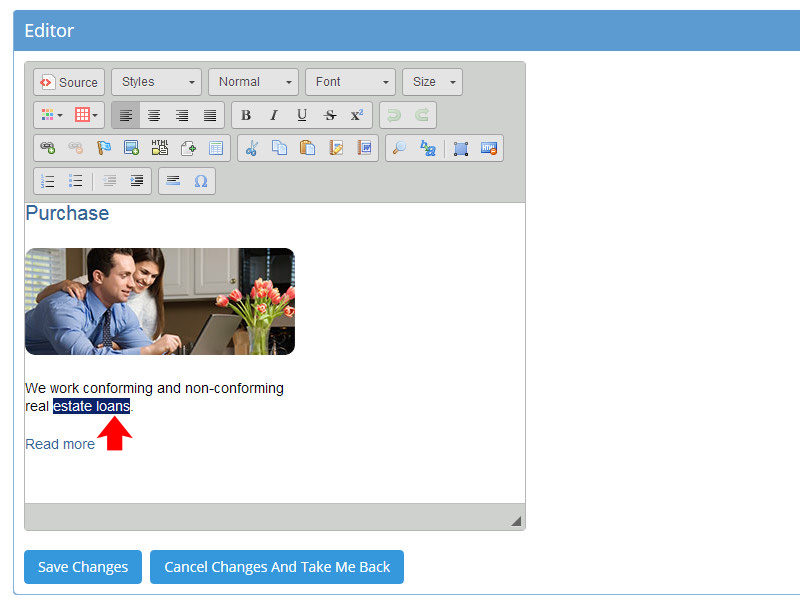
1) In the widget or page field of your choice, select the text or image that will be the link by dragging the cursor. This should appear blue.
2) Click the insert link button 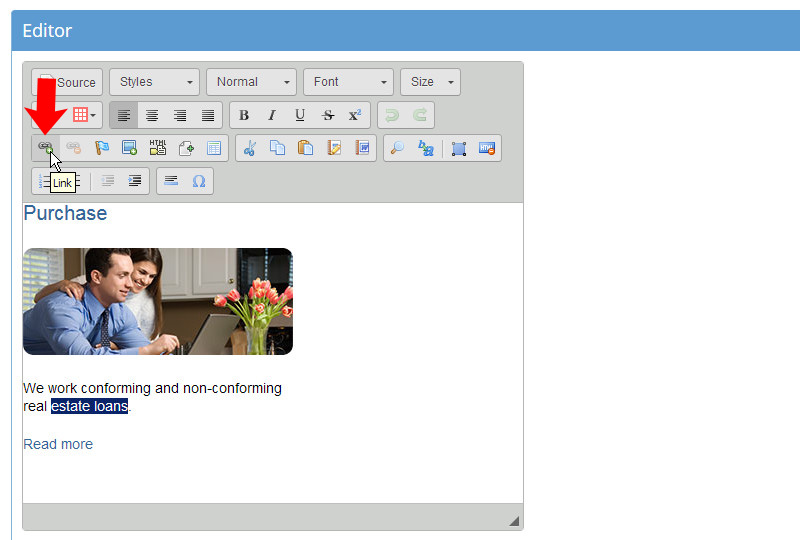
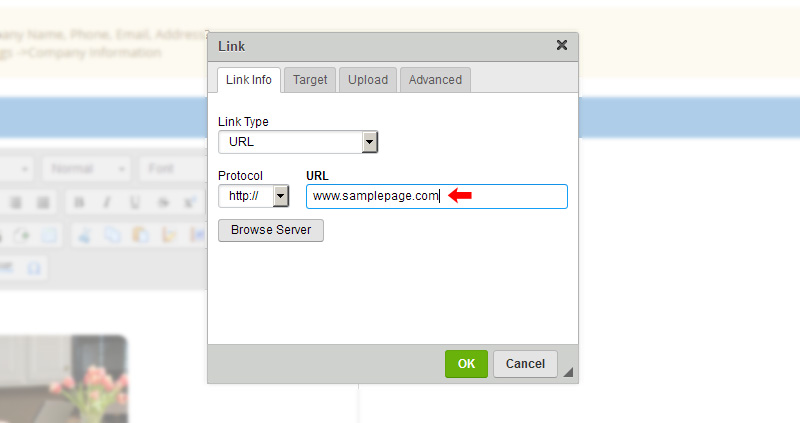
3) Select the page, file or website you want to link to
4) Click the "Target" tab and select "New Window" from the dropdown tab
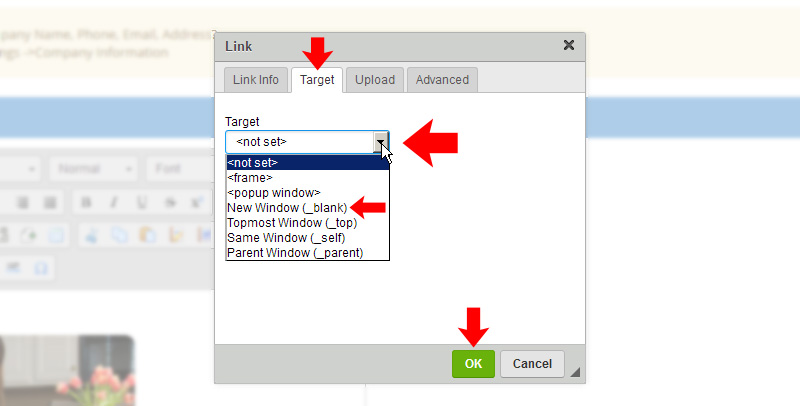
5) Click "Ok" on the popup
6) When finished click "Save Changes"

Comments
0 comments
Please sign in to leave a comment.