
To add facebook tracking pixel you will need to add it to the form (ex. home page, landing page etc)
We will use the form on the home page in this example but you may want to add it the form on the inner page, landing pages, etc.
1) Log into lsx control panel
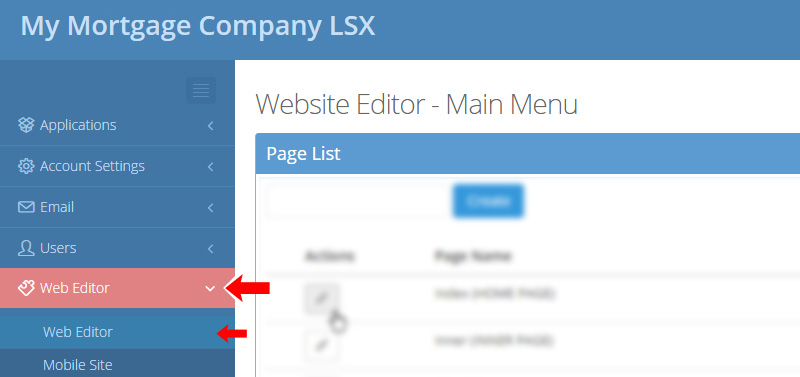
2) Click on "Web Editor" tab and "Web Editor" subtab
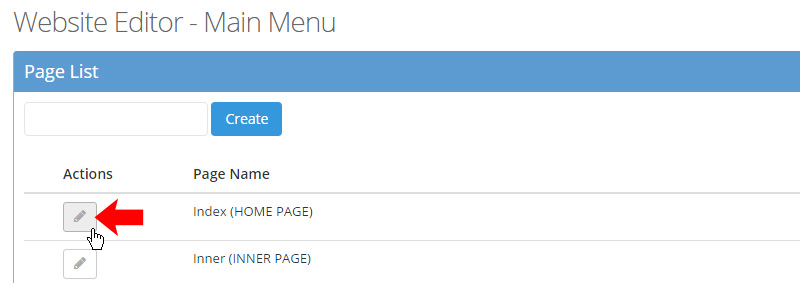
3) Click on pencil next to Index (Home Page)
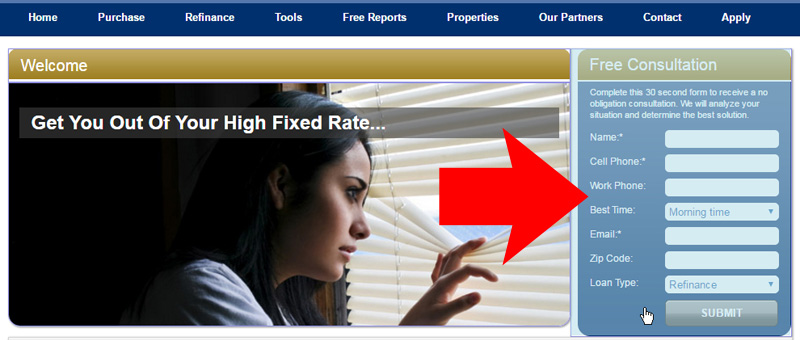
4) Click on form in editor
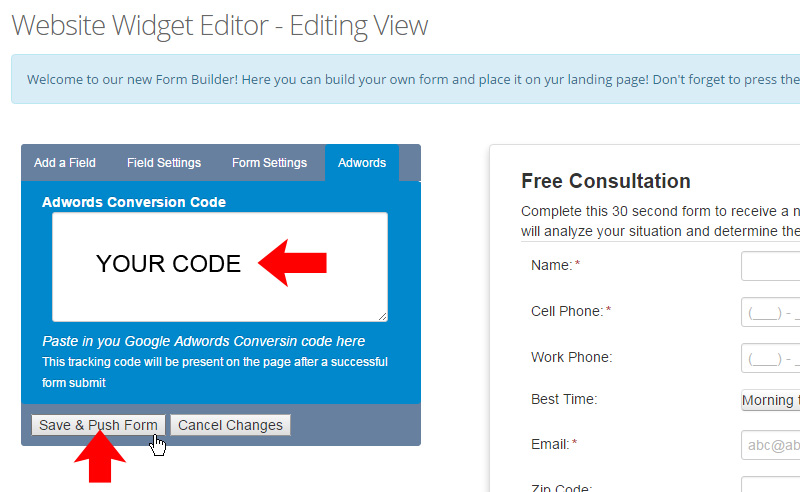
5) Click on "Adwords" tab
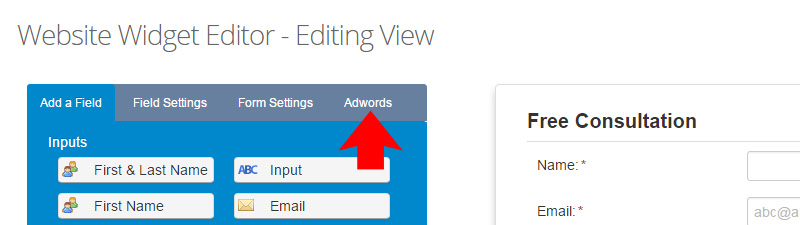
5) Paste in your code and click "Save and Push Form" button
You're done!
Comments
1 comment
I don't have a "form" or a widget.... so how do I install the FB pixel?
Please sign in to leave a comment.