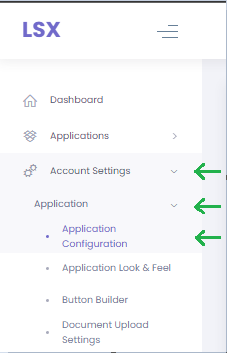
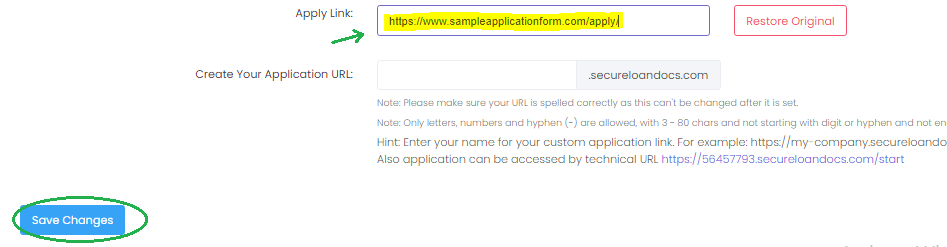
Adding Custom Apply Link To Your Website Technical Support Team Updated August 04, 2025 19:38 Follow On your control panel click "Account Settings" Click "Application" Then click "Application Configuration". Replace the existing URL on the "Apply Link" box Click "Save Changes". Done! Related articles How to turn on and off applications (including short app form) Add A Contributor In Squarespace Adding Access To A User - GoDaddy How to add URL to Custom Apply Link for LOs How To Change the Admin Photo and Company Contact Information - Phone Number, Email Address, Street Address, Fax or company name Comments 0 comments Please sign in to leave a comment.

Comments
0 comments
Please sign in to leave a comment.